Introduction and What to Sell
Building a real business with AI in 24 hours is possible — if you focus on frameworks, not just tools.
The presenter reviewed over 500 AI tools to identify the ones that genuinely move the needle for new business builders. The goal of this guide isn't to showcase one specific outcome; it's to hand you the repeatable process behind each step so you can apply it to any business idea, any niche, any market.
What This Approach Covers
- Finding a sellable idea with real demand
- Using AI tools to validate and build fast
- Moving from zero to an actual paying customer
The Core Philosophy
Most "build with AI" content shows you a single demo and calls it a day. This framework goes deeper — every tool and tactic maps to a stage of business creation, so when circumstances change, you keep the mental model even if the specific tool doesn't.
The promise is straightforward: "go from zero to a real paying customer" inside 24 hours using AI as the engine at every step.
Finding Demand with Exploding Topics
Before building anything, answer the question customers actually care about: not "what should I sell?" but "what do people already want to buy?"
The Demand-First Mindset
The most common founder mistake is falling in love with an idea before confirming anyone wants it. Starting with a hunch — gathered from a few conversations — is slow and unreliable. Starting with search and purchase data is faster and far more honest about real demand.

Using Exploding Topics to Spot Real Demand
Exploding Topics is an AI-powered trend spotter that scans three sources simultaneously:
- Search traffic — what people are actively looking up
- Social media — what's gaining momentum in conversation
- Online retail stores — what people are actually purchasing
The tool surfaces rising products and business categories before they peak, giving you a window to enter a market with wind at your back.
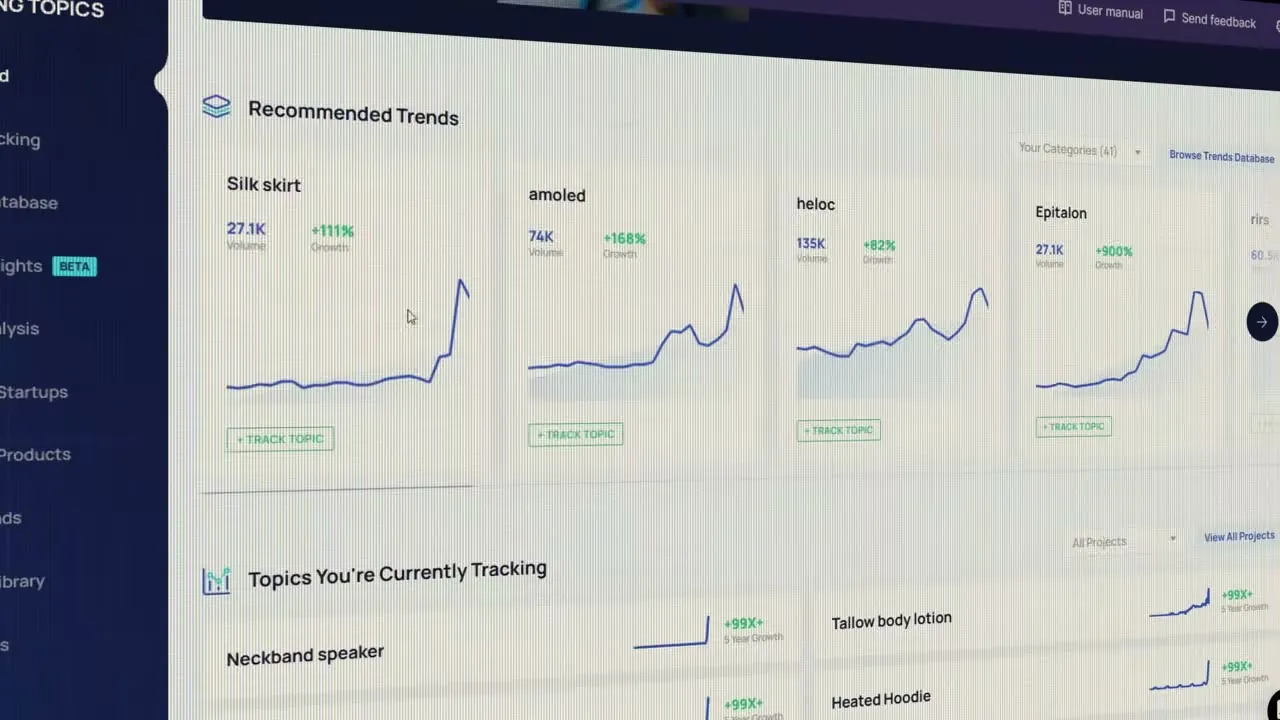
The dashboard's "Recommended Trends" section shows search volume alongside percentage growth — for example, topics growing hundreds of percent over a short window. A "Track Topic" button lets you monitor any trend over time, and a separate section shows topics you're already watching, such as neckband speakers, tallow body lotion, and heated hoodies.
Two Paths to Validating Demand
You can verify demand in two ways, and the contrast matters:
| Approach | Speed | Signal quality |
|---|---|---|
| Talk to people, gather hunches | Slow | Subjective |
| Pull search + retail data | Fast | Objective |
Data doesn't replace customer conversations, but it tells you where to point those conversations. Exploding Topics gives you a shortlist of categories worth investigating further rather than a blank canvas to guess from.
The next challenge is choosing among the many options the tool surfaces — "there are so many options, so what do we choose?" That filtering step comes next.
The RRT Test Framework
Before betting time or money on a business idea, run it through a fast three-part filter. The RRT Test — Resist, Raise, Technology — can kill or confirm any idea in under five minutes.
Resist — Does it survive a recession?
The first question: will customers keep spending even when times get hard? Strong examples include garbage collection, pet care, and healthcare — "people don't stop spending on these things when times get hard." If the answer is no, walk away.
Raise — Can you charge more without losing customers?
The second question tests pricing power. If you can raise prices without customers fleeing, you have an instant path to higher profit without selling a single additional unit. Designer pet collars selling for more than skincare products are a real-world proof point that premium positioning works in this category.
Technology — Can AI improve margins or output?
The third question asks whether technology can make the business more efficient. This doesn't mean engineering a smarter product — it means automating the advertising, selling, and operational layer with AI tools to protect margin.
The decision logic is simple:
Applying the Test: Hands-Free Dog Leash
Running the RRT on a trending product — the hands-free dog leash — shows the filter in action:
- Resist: Americans spend over $100 billion on pets annually, a number that has risen every year for a decade. Pet spending is recession-resistant.
- Raise: Premium pet accessories already command high prices, confirming customers will pay up.
- Technology: AI tools can automate the entire advertising and sales process, protecting margins without touching the physical product.
All three answers are yes — the idea passes.
Defining Your Customer Avatar
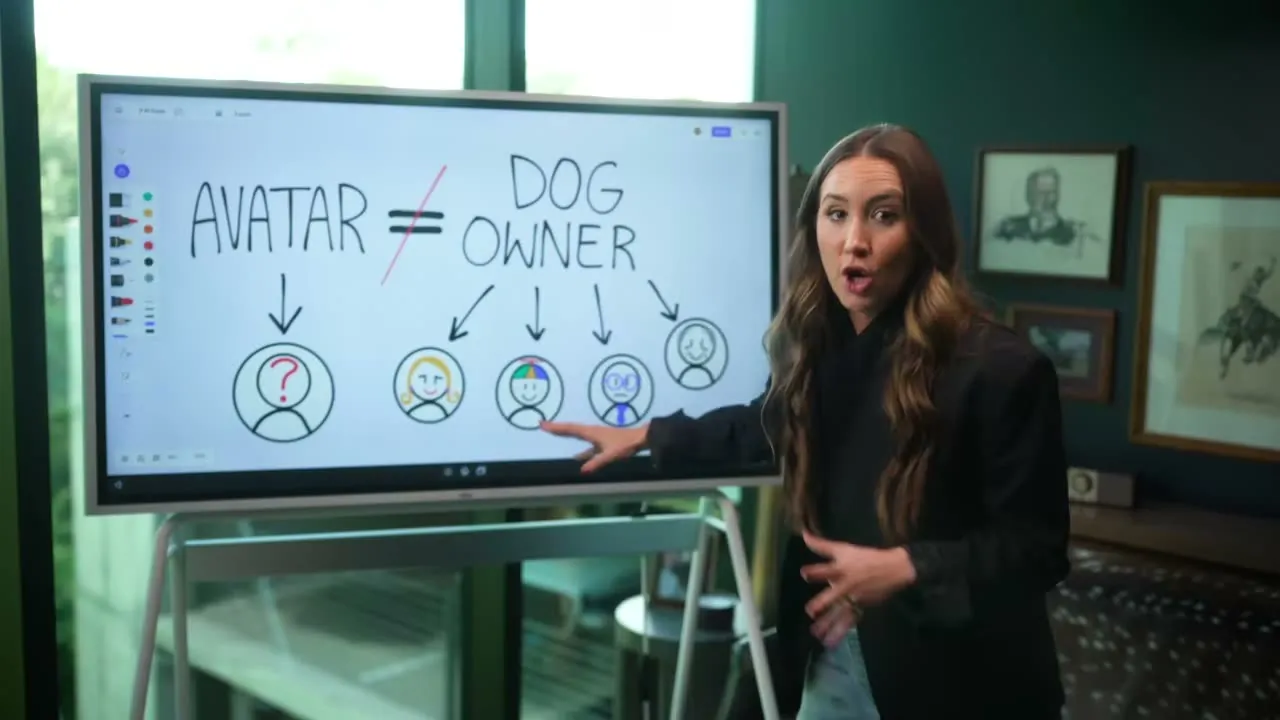
Knowing exactly who you're selling to is the foundation of every product, price, and marketing decision you'll make — and "dog owner" is not specific enough.
What an Avatar Actually Is
An avatar is not a broad demographic category. It is "the one specific person who's going to see your product and immediately think that was made for me." The gap between two people who both fit a loose label can be enormous:
- An adult who relies on a certified service dog
- A teenager who just convinced their parents to get a puppy
Same label. Completely different wants, budgets, and buying triggers. Treating them as one group means your message lands for neither.
Why Specificity Increases Revenue
Narrowing your avatar feels counterintuitive — won't a tighter focus shrink the audience? In practice, the opposite happens. The more precisely you define who the product is for, the more that person recognizes themselves in your marketing, the higher your conversion rate, and the more you can charge because the fit feels custom.
The Three Tools for Understanding Your Buyer
Before building anything else — pricing, branding, copy — you need to deeply understand this person. There are three research tools to reach that understanding (each covered in the sections that follow):
- Surveys — ask existing or target customers directly
- Interviews — go deeper with one-on-one conversations
- Data / analytics — let behavior confirm or challenge what people say
Using AI Research Tools Together
Each AI tool has a distinct strength; using them in sequence produces research that none could deliver alone.
Perplexity — Real-World Data with Sources
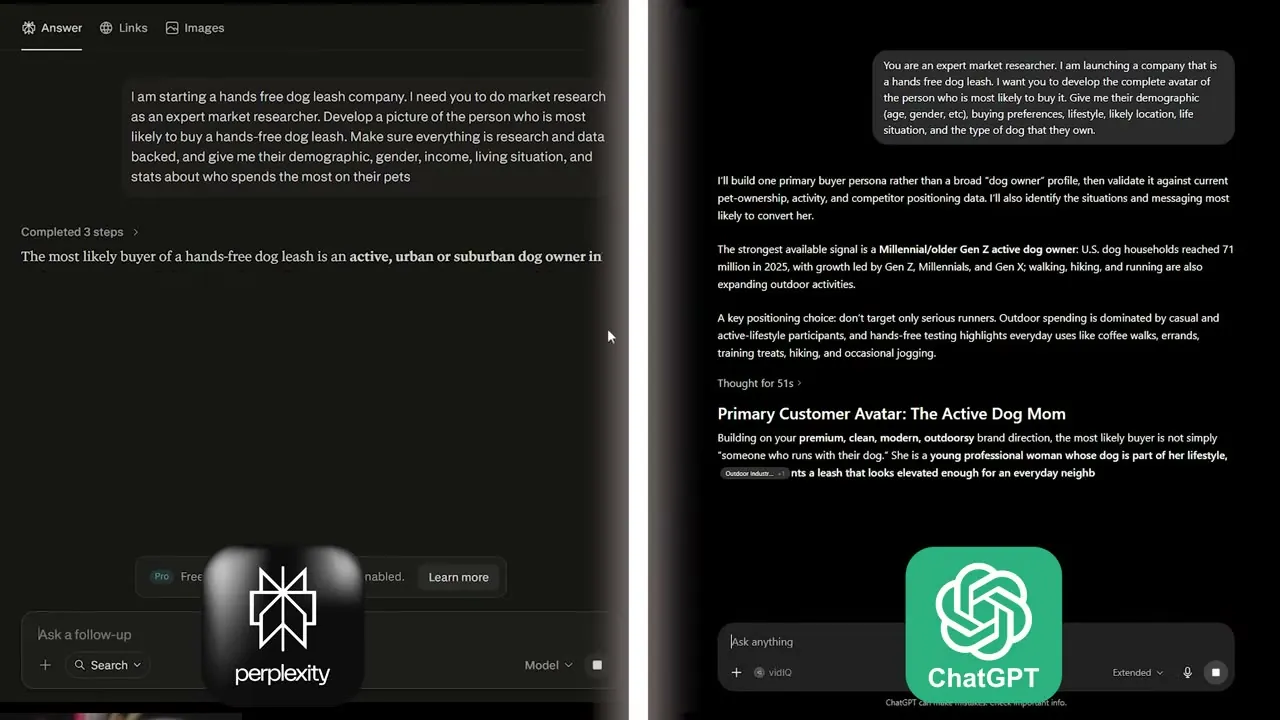
Start here. Perplexity is a research-first tool that cites every source, which eliminates the hallucination risk common in generalist models. Use it to pull hard data: market size, demographics, spending stats. It "isn't the best at inference," so treat its output as raw evidence, not analysis.
ChatGPT — Fast First Draft
Bring Perplexity's data into ChatGPT and prompt it to build an initial customer avatar. Think of ChatGPT as a "Swiss army knife" — it can do everything pretty well and structures things quickly. Set its identity in the prompt, then let it draft a broad persona from the research.
Claude — Deep Reasoning and Nuanced Writing
Feed both outputs into Claude and ask it to reconcile the differences — what Perplexity found in the real world versus what ChatGPT inferred. Claude excels at nuanced thinking and is the right choice when reasoning quality matters, or when you want to run agents. The result is a data-backed, fully fleshed-out avatar.
The three-tool flow in plain terms:
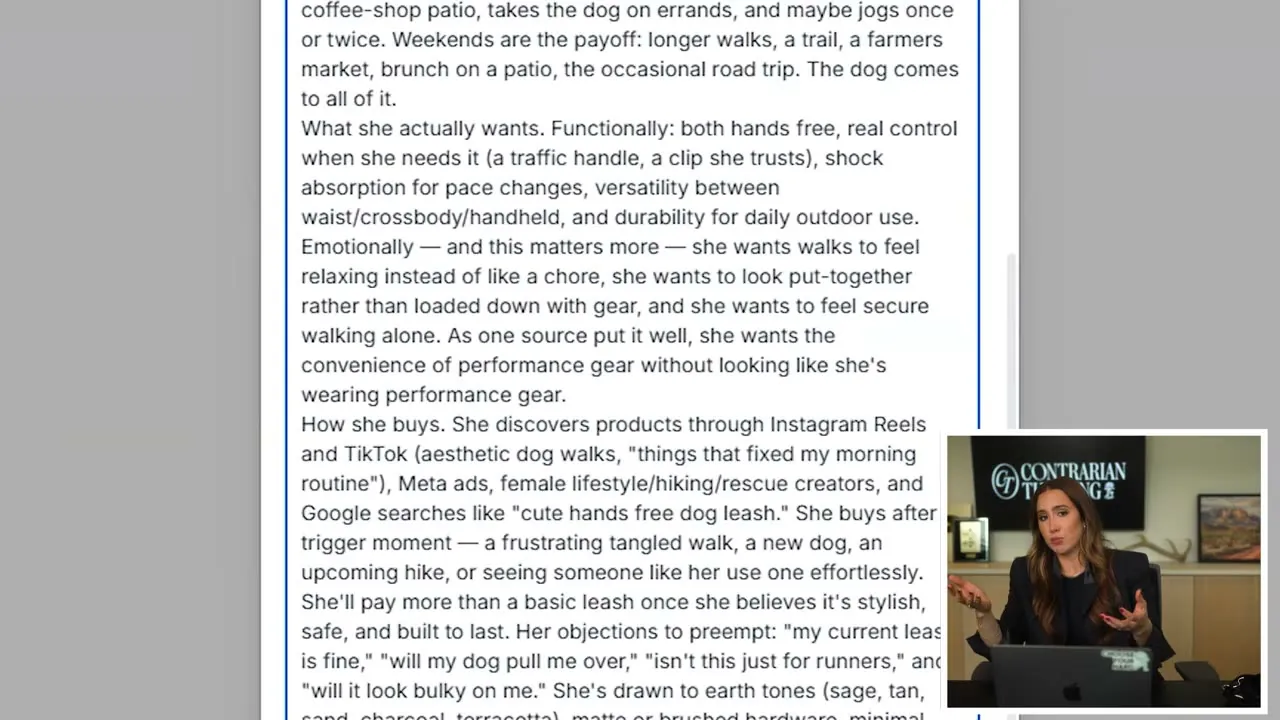
The example avatar — named Jordan — includes demographics, lifestyle habits, why standard leashes fail her, who she follows online, and her purchasing triggers. That level of specificity only emerges when grounded data and structured inference are stress-tested by deeper reasoning.
WhisperFlow — Close the Thinking-Typing Gap
Once the avatar is locked and ideas start moving fast, typing becomes the bottleneck. WhisperFlow is a background voice-to-text app that transcribes speech instantly into whatever app is active, with high accuracy.
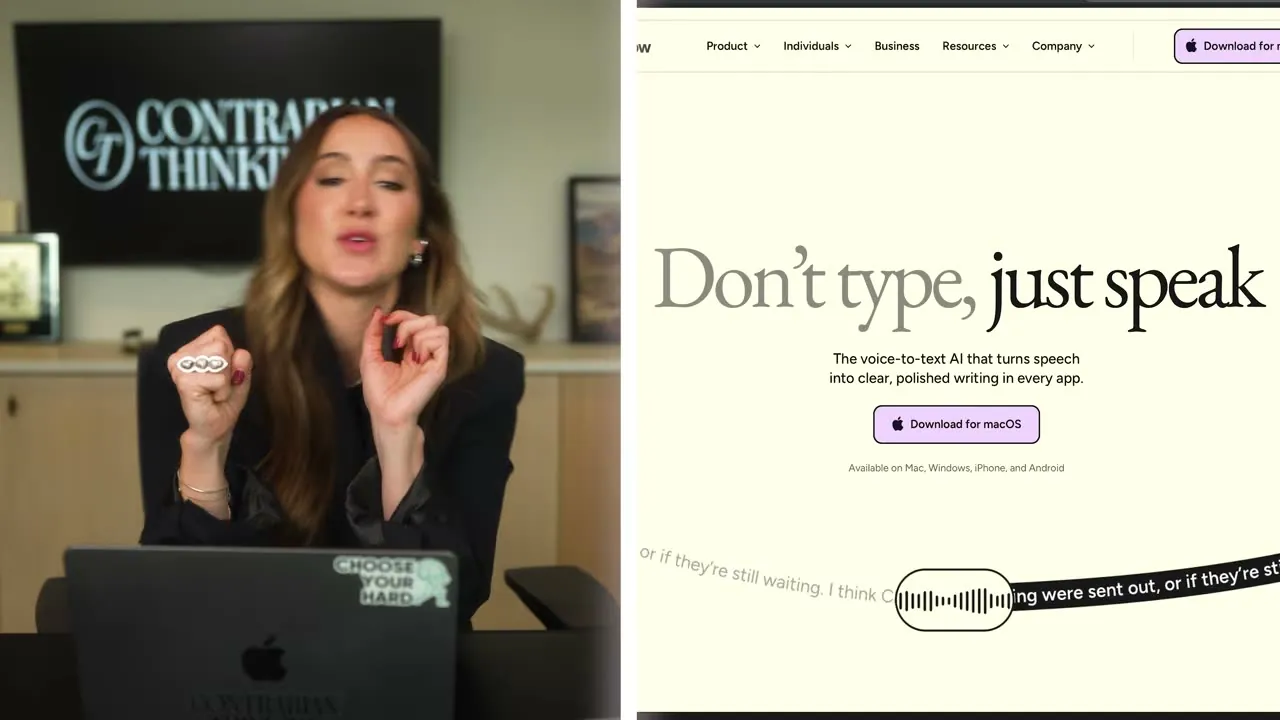
Use it to dictate prompts, capture ideas, and keep pace with your thinking instead of slowing down to type.
Building a Landing Page with Lovable
A landing page is the make-or-break moment between interest and a sale — and Lovable can generate one in minutes from a single prompt.
The Tool: Lovable
Lovable is an AI website builder: describe what you want in plain English, and it produces a functional, designed site. No developer, no waiting weeks. The prompt used for the hands-off dog leash business:
"Build me a website for a hands-off dog leash company. Make it super high converting, really simple for a Gen Z to millennial woman aged 24 to 35 who loves her dog, and base it off of the best converting websites for that avatar that exists."
A working landing page came back in roughly four minutes — work that would have cost "a couple weeks and $3k" from a developer just a year ago.
Speed Is Just the Starting Point
Raw output from Lovable is fast, but fast doesn't mean finished. The first draft landed as "actually a nightmare" — visually rough, missing the elements that turn visitors into buyers. Speed buys you a foundation; you still have to refine it.
The Three Things Every High-Converting Landing Page Needs
Before iterating with Lovable, know what you're optimizing for. Every high-converting page requires:
- A clear, specific offer — visitors must understand in seconds exactly what they're buying and why it's for them.
- A targeted message — copy and visuals that speak directly to the avatar (in this case, a dog-loving woman in her late 20s to mid-30s).
- A frictionless path to purchase — no clutter, no confusion, one obvious call to action.
Use these three criteria as your checklist when prompting Lovable for revisions. Describe what's missing in plain language and let it rebuild.
Iterating in Lovable
Lovable isn't a one-shot tool. Treat the first output as a draft, then follow up with specific feedback — "move the headline above the fold," "simplify the navigation to one button," "use lifestyle imagery of a woman walking her dog." Each prompt refines the page closer to something that actually converts.
Three Landing Page Conversion Principles
A landing page has seconds to convert a visitor — three principles determine whether it does.
Above the Fold: Everything That Matters, First
Your headline, sub-headline, and call to action must all appear before the visitor scrolls a single pixel. If someone has to scroll to understand what you're selling or why they should care, "you've already lost the cash." Those first three elements need to make the company instantly clear and credible. The test: if you can't say your headline and tagline to someone "over loud music playing at a bar, it's too complicated."
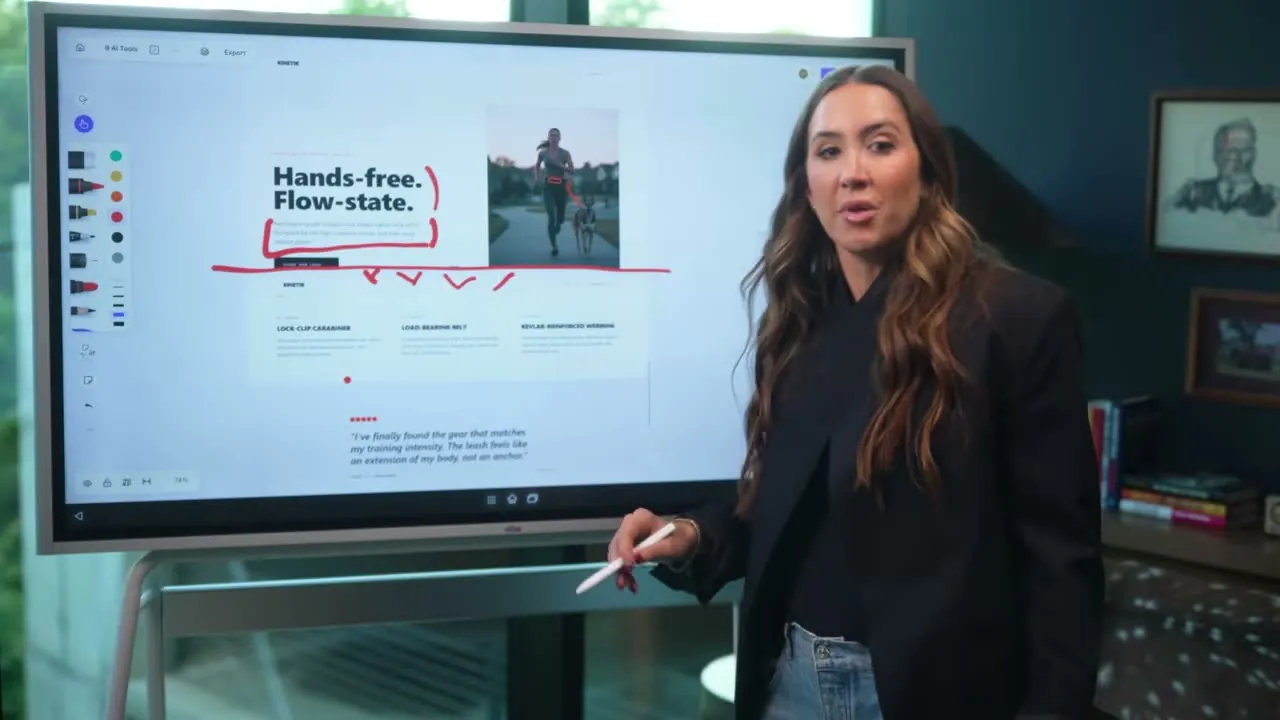
The Kinetik dog-leash site shown on screen fails this test. "Hands-free. Flow-state." paired with copy about aerospace-grade bungee cord leaves visitors wondering what product they're even looking at. The headline and sub-headline together should answer two questions in plain language: what does the company do, and how does it solve my problem?
Social Proof Before the Scroll
People do not believe the brand — they believe other customers. Reviews and validation must appear on the homepage before the visitor reaches the scroll point. They can be small, but they must be real: a named person, a face, a specific claim. A "Verified Buyer" with no photo or name convinces no one. A photo of a real customer — ideally one that fits the product's story, like a runner with their dog — drives far more conversions than any polished copy.
Let the Customer See Themselves
The design, imagery, and tone must mirror the target customer. If the avatar is "Jordan" — an active runner — the visuals need to feel like Jordan's life, not a generic product sheet. When the font, color palette, and photography feel cold and purely tactical, visitors feel nothing and leave. An AI-generated stock image of improbably muscular arms does not build that emotional bridge.
These three issues — vague headline, absent social proof, and mismatched identity — compound each other. Fix one and you improve the page. Fix all three and conversion rates move meaningfully.
Branding with Villain Victim Vow
Branding is the feeling a customer gets before they read a single word — and a simple three-part framework makes it repeatable.
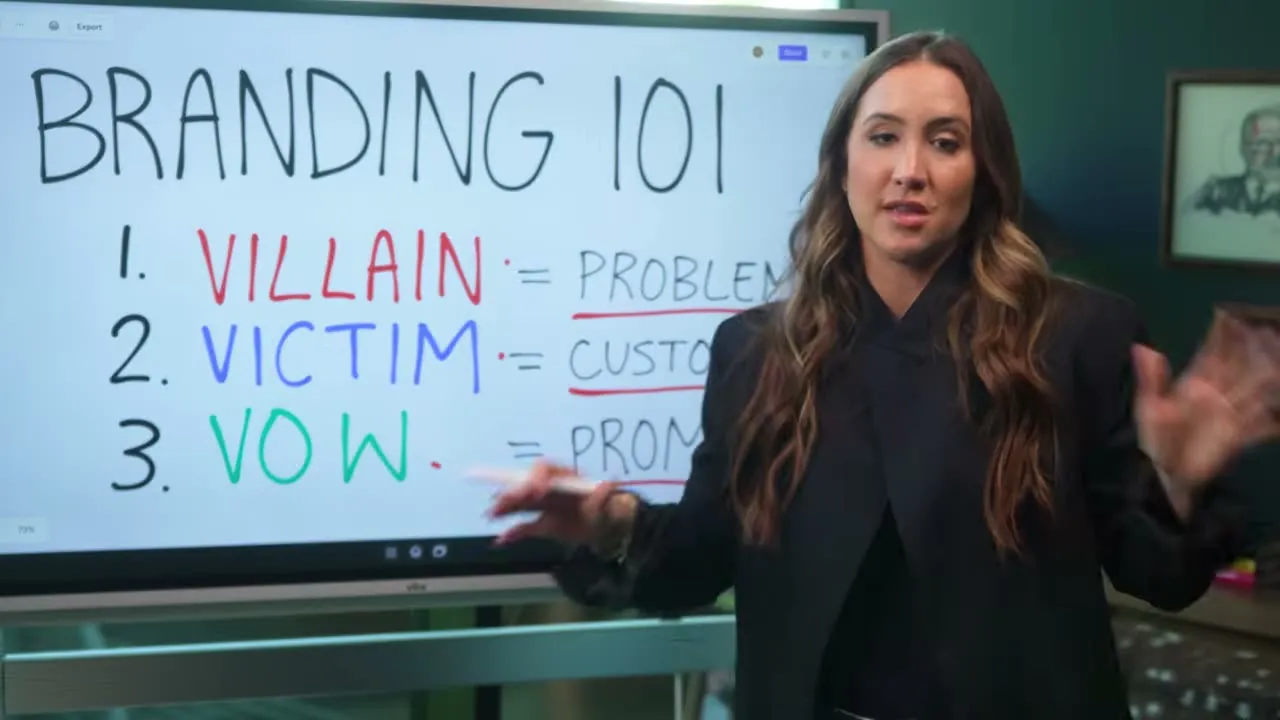
The Framework: Villain, Victim, Vow
Every brand message maps to three roles. Together they tell a story that pulls customers in by showing they're understood.
- Villain — the problem your customer is fighting. Not an abstract concept, but a vivid antagonist: the cheap, ugly leash that tangles on every walk.
- Victim — who your customer is right now, before your product rescues them. Jordan, juggling a latte, a phone, and a leash, losing every time.
- Vow — the promise of life on the other side. "Hands-free, baby" — the freedom to run without compromise.
Why the Story Structure Works
Most brands lead with features. This framework leads with feeling. By naming the villain first, you validate the customer's frustration before pitching anything. By painting the victim vividly, you give them a mirror — they recognize themselves and lean in. The vow then lands as earned relief, not empty marketing copy.
Think of the cold-medicine ad: cartoon germs (villain), miserable person in bed with a stuffy nose (victim), sunny clear-air morning (vow). The same arc works for any product.
Applying It to a Real Brand
For a hands-free dog leash brand, the three elements translate cleanly:
| Role | Concrete version |
|---|---|
| Villain | Every cheap, ugly leash she fights with on every walk |
| Victim | Jordan holding the leash, her latte, and her phone simultaneously |
| Vow | Hands-free freedom to run without sacrificing anything |
Every piece of copy, every photo choice, every color decision should reinforce one of these three roles. Colors and fonts should feel like the sunny open-air morning of the vow, not the tangled chaos of the villain.
Logo and Brand Style Guide Creation
AI-generated logo and brand assets can go from zero to polished in minutes when you chain the right tools together — the key is letting the models talk to each other first.
Prompt Engineering the Logo
Rather than typing a vague request directly into an image generator, feed a simple brief into ChatGPT first and let it write a precise, detailed prompt for you. This two-step relay — simple idea → ChatGPT → optimized prompt → image model — is "the key step most people skip."
For the brand Coast Dog Leashes (a premium, hands-free leash for active women with a beachy, outdoorsy aesthetic), the ChatGPT prompt request looked like this:
Based on this brand's direction, write me a detailed prompt for a logo concept
using Nano Banana Pro. The brand is a premium, hands-free dog leash for active
women. The aesthetic is clean, modern, outdoorsy. Think minimal line art,
earth tones, sage green, worn tan, off-white.
ChatGPT returns a crisp, structured prompt. Paste that into your image generator and the output quality jumps dramatically.
Logo Output and Iteration
The resulting logo — minimal line art with earthy tones — came back looking legitimately professional. One small oddity (the leash shape read as a mountain silhouette) turned out to feel intentional for an outdoorsy brand. The takeaway: don't over-correct quirks; sometimes the model's interpretation adds character you'd never brief for.
Brand Style Guide in One Prompt
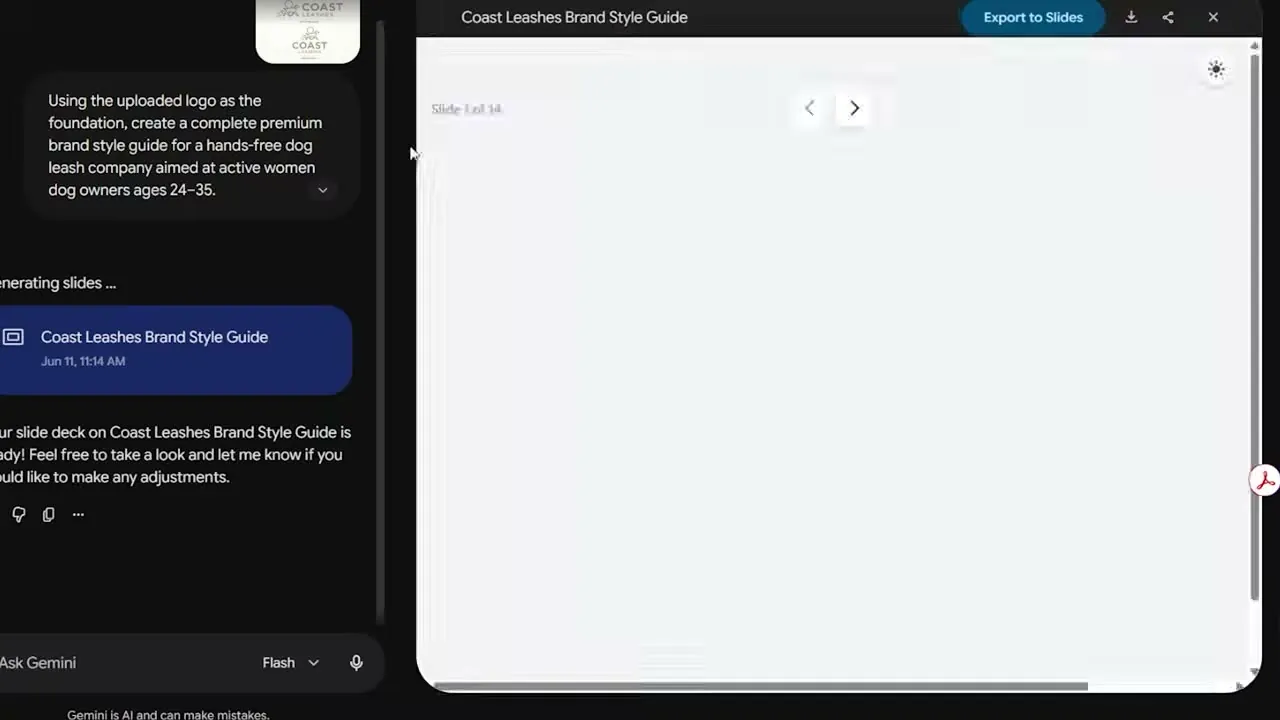
Once the logo is locked, generating a full brand style guide is a single follow-up prompt. Feed the approved logo into the same session and ask for a complete style guide — colors, typography, hierarchy, usage rules. The output is a multi-slide deck ready to hand off to a web builder like Lovable.
Website Copy Almost Writes Itself
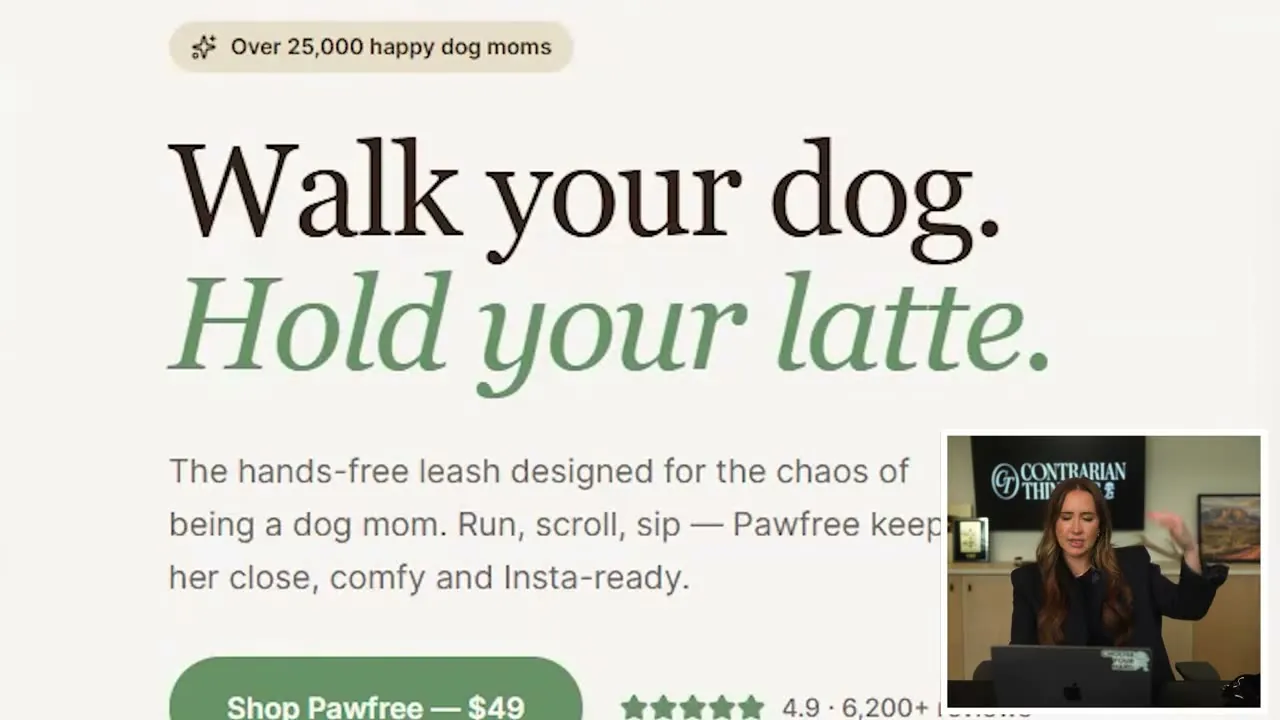
With the style guide loaded into Lovable, the AI-generated site copy punched above expectations: hero lines like "Walk your dog, hold your latte" and social-proof sections citing "25,000+ happy dog moms" appeared automatically, along with an upsell bundle called the Dog Mom Bundle.
Writing Copy That Converts
Good copy is what separates a product that sits from one that sells — because people don't buy what you make, they buy how your words make them feel.
The Core Distinction: Cold vs. Warm Traffic
Before writing a single word, you need to know who you're writing for. These two audiences require completely different messaging.

Cold traffic is someone who has never heard of you. They didn't search for your product, didn't ask for your ad, and don't care — yet. Think: a stranger scrolling through dog videos who stumbles across your Meta ad. You have roughly two seconds to earn their attention before they're gone.
Warm traffic is someone who already knows you exist. They clicked your ad, heard about you from a friend, or Googled your product and landed on your page. They gave you their attention on purpose.
Writing for Cold Traffic: Lead with Disruption
For cold audiences — ads, social posts, top-of-funnel content — your job is to interrupt a belief they already hold.
- Challenge something they take for granted
- Make them feel a problem they didn't know they had
- Avoid generic claims; attack the category instead
The difference in practice:
❌ "This leash is great for runners." ✅ "Every leash has the same uncomfortable flaw."
The second line creates curiosity and tension. That's what stops the scroll.
Writing for Warm Traffic: Earn the Sale
Warm visitors landed on your page on purpose. Now your copy has to close. This is where you can layer in:
- Emotional benefits, not just features
- Social proof (reviews, guarantees, community)
- Risk reversal ("60-day happy tail guarantee")
The AI-generated product copy reviewed in the video hit nearly all of these marks unprompted — benefit-led headlines, upsell framing, free-shipping thresholds, and a guarantee — demonstrating that "copying is your sales department in print."
What to Watch For
Even strong AI output needs a human edit pass. Specific things to fix:
- Long em dashes — an immediate red flag for AI-generated text
- Invented social proof (e.g., claiming 6,000 reviews before you have them)
- Any phrasing that sounds corporate rather than conversational
Cold vs Warm Traffic Strategy
How you frame your landing page headline depends entirely on whether your visitor already knows they have a problem — and that distinction changes everything.
Cold Traffic: Lead with Curiosity
Cold traffic visitors don't yet feel the pain. Your job is to make them need to know the answer. A headline that teases without revealing creates the itch that drives a click. Think of it as interrupting a scroll — if the headline doesn't spark curiosity, nothing else on the page matters.
Warm Traffic: Lead with the Pain
Warm traffic already knows the problem exists. They don't need a mystery — they need to feel seen. "Jordan doesn't care about your leash. She cares about the fact that every walk with her dog has been slightly more annoying than it needed to be." Open with that frustration. Make her feel like you wrote the headline specifically for her.
Three Rules That Apply to Both
Whether targeting cold or warm audiences, these principles hold:
- Write like you're talking to your avatar as a friend. Use their language, their vocabulary, their frustrations — not yours. "Run, scroll, sip" works because it sounds like something the customer would actually say.
- Lead with solving the pain. Your customer doesn't care what you built; they care what it fixes. A padded waist belt, a built-in poop bag holder, a hands-free grip — frame every feature as a relief, not a spec.
- Clarity kills confusion, and confusion kills sales. If you can't shout your headline over loud music at a bar and have someone immediately get it, it's too complicated. Simplify until it lands in one breath.
The test for any headline: one person, loud room, zero context — do they get it instantly?
Using Jasper AI for Brand Copy
Jasper AI solves the "generic copy" problem by letting you upload your brand voice, avatar, and style guide once — then every output it generates stays on-brand automatically.
Setting Up the Brand Context
Instead of prompting a general-purpose AI fresh each time, Jasper stores your brand identity as persistent context. What goes in:
- Avatar profile — the detailed customer avatar built in earlier steps
- Villain/victim/bow framework — the narrative structure that drives emotional resonance
- Brand voice guidelines — tone, vocabulary, and anything that defines how the brand speaks
Once loaded, Jasper uses that context for every piece of copy it produces. The result is copy that sounds like "the brand you're trying to build, talking directly to your avatar" — not generic marketing filler.
Landing Page Copy
Feed Jasper the avatar profile and the villain/victim/bow framework, then ask it to produce headline and subline copy for the landing page. The goal is immediate clarity: a visitor should recognize within seconds that the page is speaking to them specifically.
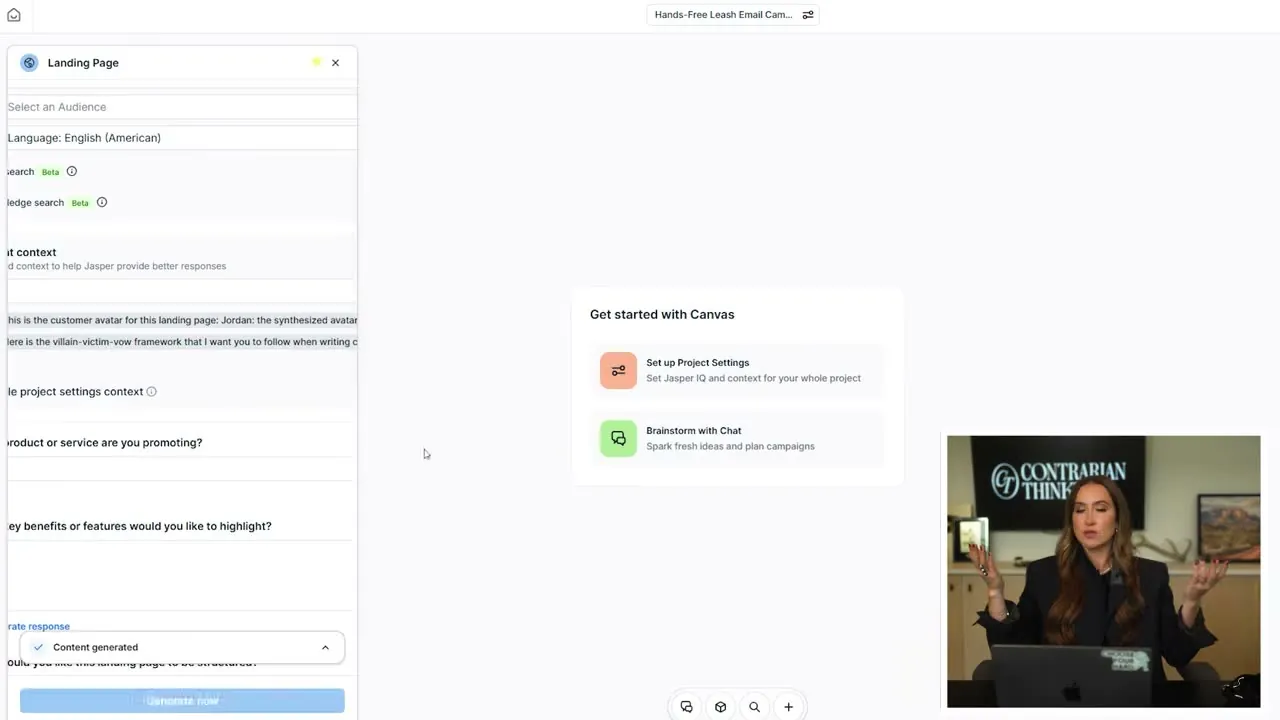
The avatar detail matters here. The richer the profile — including functional wants, emotional motivations, buying triggers, and objections — the more precisely Jasper can target the copy.
Ad Copy
For cold-traffic ads, the input shifts slightly:
- Provide the cold traffic hook (the angle that stops a scroll from someone who has never heard of the brand)
- Ask Jasper to build out the full ad from that hook
Jasper uses the stored brand voice to keep the ad consistent with everything else, so the tone a stranger sees in an ad matches what they find when they land on the page.
From Copy to Live Page
The landing page output from Jasper feeds directly into Lovable, which renders it into a visual page. Headline, subline, and body copy are already written and on-brand; Lovable handles the design layer.
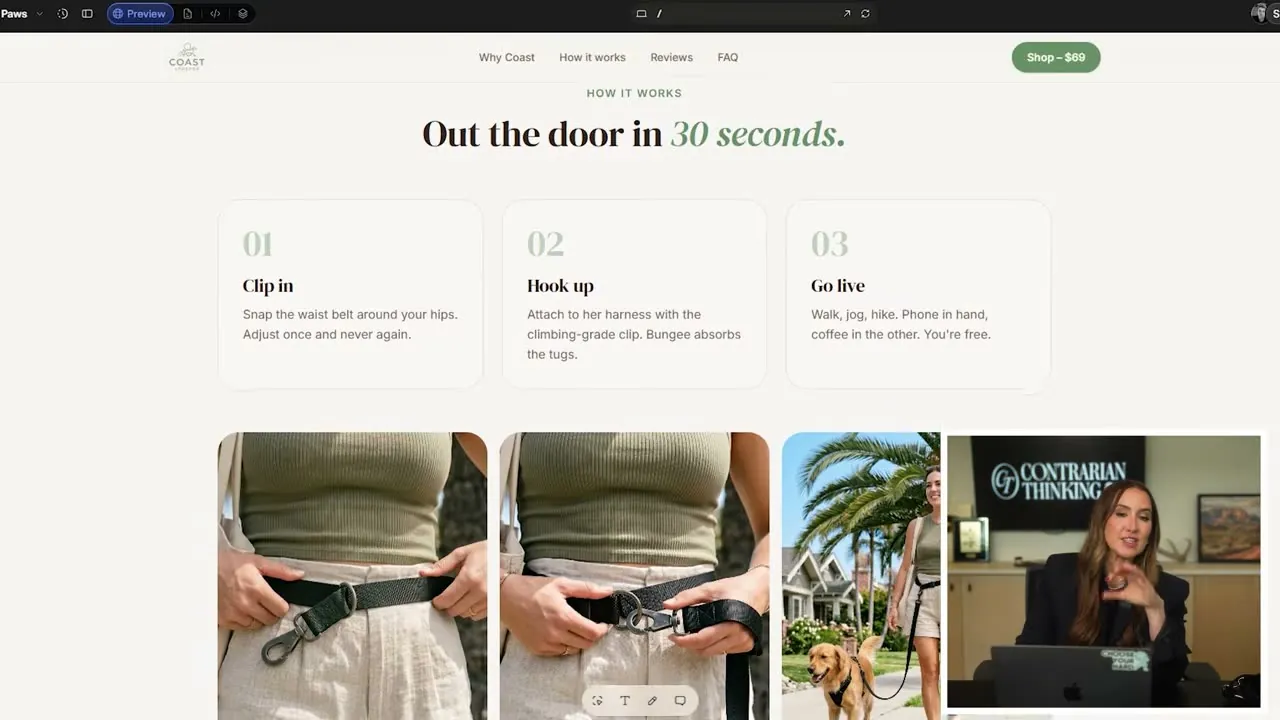
The finished page reads and looks like a real brand — not a template.
Domain Name and Website Launch
Choosing the right domain name is one of the fastest ways to signal whether a business was built with intention — or assembled from leftovers.
The Problem with .com
The best dot-com names are gone. Trying to claim one usually means settling for something hyphenated, numbered, or just plain forgettable — "yourhandsoffleash1279.com" doesn't inspire confidence before a visitor even reads a word of copy.
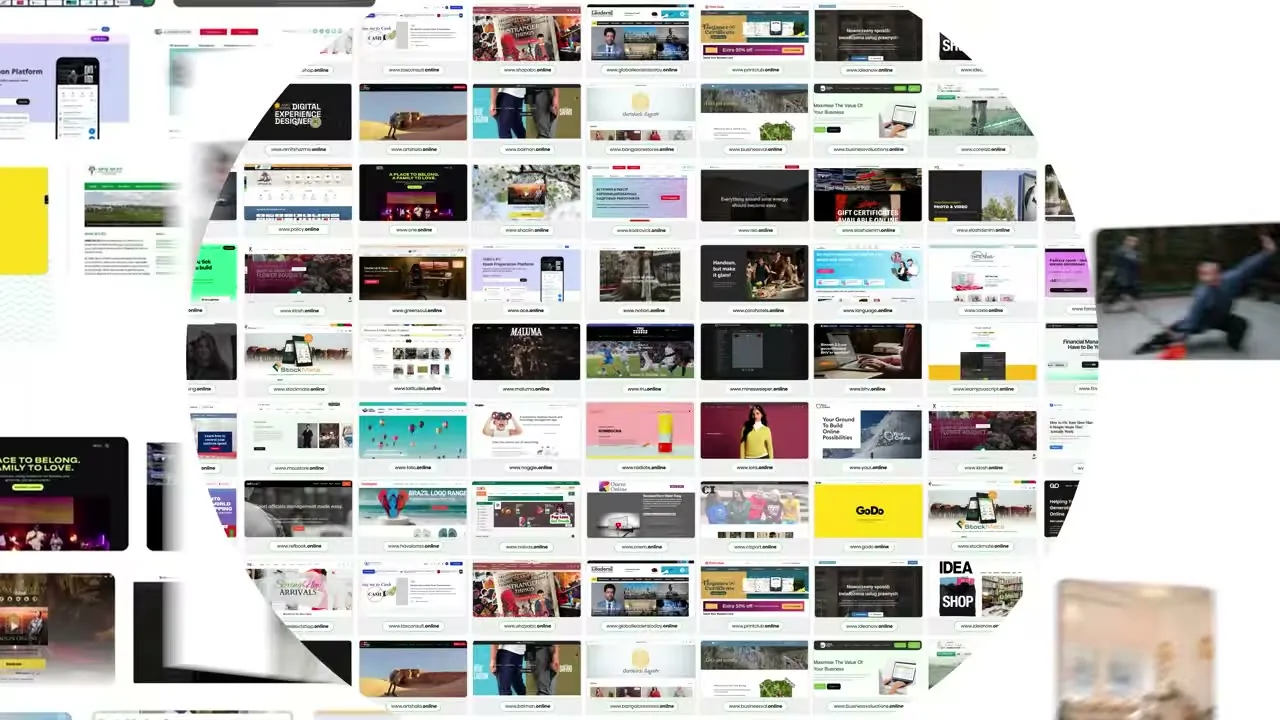
Why .Online Works
A .online domain sidesteps the clutter without looking like a fallback:
- Clean and readable —
pawfree.onlinebeats any hyphenated workaround - Memorable on first contact, no spelling gymnastics required
- The word online appears in over 500 million monthly searches, giving new sites a built-in SEO signal from day one
- Roughly 3.5 million businesses worldwide already use the extension
The verdict: "it looks like a business that was built with intention."
Where to Register
.online domains are available at all major registrars:
- GoDaddy
- Namecheap
- Squarespace
- Lovable
For the first year at $0.99, use the link in the description with code CODIE.
What's Live at This Point
By the end of the 24-hour build, the business had a product, a brand name, a live website with a domain, and a polished ad produced through a combination of Jasper and Google's generative tools — "a combination of Jasper and Google's NanoBanana." With traffic starting to arrive, the next challenge shifts from building to converting.
Automating Customer Service with Tidio
Slow response times kill sales; an AI chat tool lets your website close deals around the clock without you being online.
The Problem: Speed Equals Revenue
"Money loves speed." Most business owners — even experienced ones — underestimate how much a delayed reply costs them. A prospect who lands on your site at 11 PM and gets no answer simply leaves.
What Tidio Does
Tidio is an AI-powered live chat widget that sits on your website and handles customer questions in real time. It draws answers from a knowledge base you build once:
- Return policy
- Shipping times
- Product details and FAQs
- Pain-point-to-checkout guidance (acting as a salesperson, not just a support bot)
The widget is always on, so you don't have to be.
Setting It Up
Setup took roughly 20 minutes for a new e-commerce store. The core steps:
- Install the Tidio widget on your site.
- Build the knowledge base with your store's specifics.
- Let Tidio handle inbound questions automatically from that point on.
Once live, a shopper asking "will this work for a 75-pound Bernese mountain dog?" at midnight gets an immediate, accurate answer — and a path to checkout.
The Business Case
Tidio effectively acts as a 24/7 salesperson at a fraction of the cost of a human hire. It "speaks" your sales language for you — handling objections, confirming product fit, and nudging customers toward purchase while you sleep.
First Order and Key Takeaways
The experiment paid off: a business concept went from idea to first paying order in a single sitting — something that used to take months and cost tens of thousands of dollars.
The First Order
Within hours of launch, the first order notification arrived. The full cycle — market validation, brand creation, website build, and live sales — compressed into one session using freely available AI tools. Speed like that was simply not possible before.
What AI Actually Is (and Isn't)
The temptation after a win like this is to hand everything over to the machine. That's the wrong lesson. AI is "not a replacement for thinking" — it is a "force multiplier on good thinking."
Every tool in the process demanded real input:
- A validated framework before prompting
- A clear strategy for each stage
- Human judgment to reject weak first outputs and iterate
The first output was rarely the right one. Showing up with a mental model — not just a question — is what made the AI useful.
What to Take With You
- Validated idea first: use AI to pressure-test demand, not generate random business concepts
- Prompt with a framework: vague prompts produce vague results; structure your ask
- Iterate fast: treat every output as a draft, not a deliverable
- Speed is a feature: the same process that once required a team and months now fits a single sitting